
A Live Customer Lifecycle, Not a Database of Records

Traditional systems treat customer information as a static database to maintain. MultiBilling rebuilds the customer lifecycle as a live event stream. Every change to customers, locations, meters, and assets surfaces in the same operational view, so the issues that used to land on bills get resolved upstream. Move-ins, move-outs, and meter exchanges flow through guided workflows with required fields and date validation in place. Stale data stops reaching the billing engine, and customer service teams reclaim more than half of their monthly labor for higher-value work.
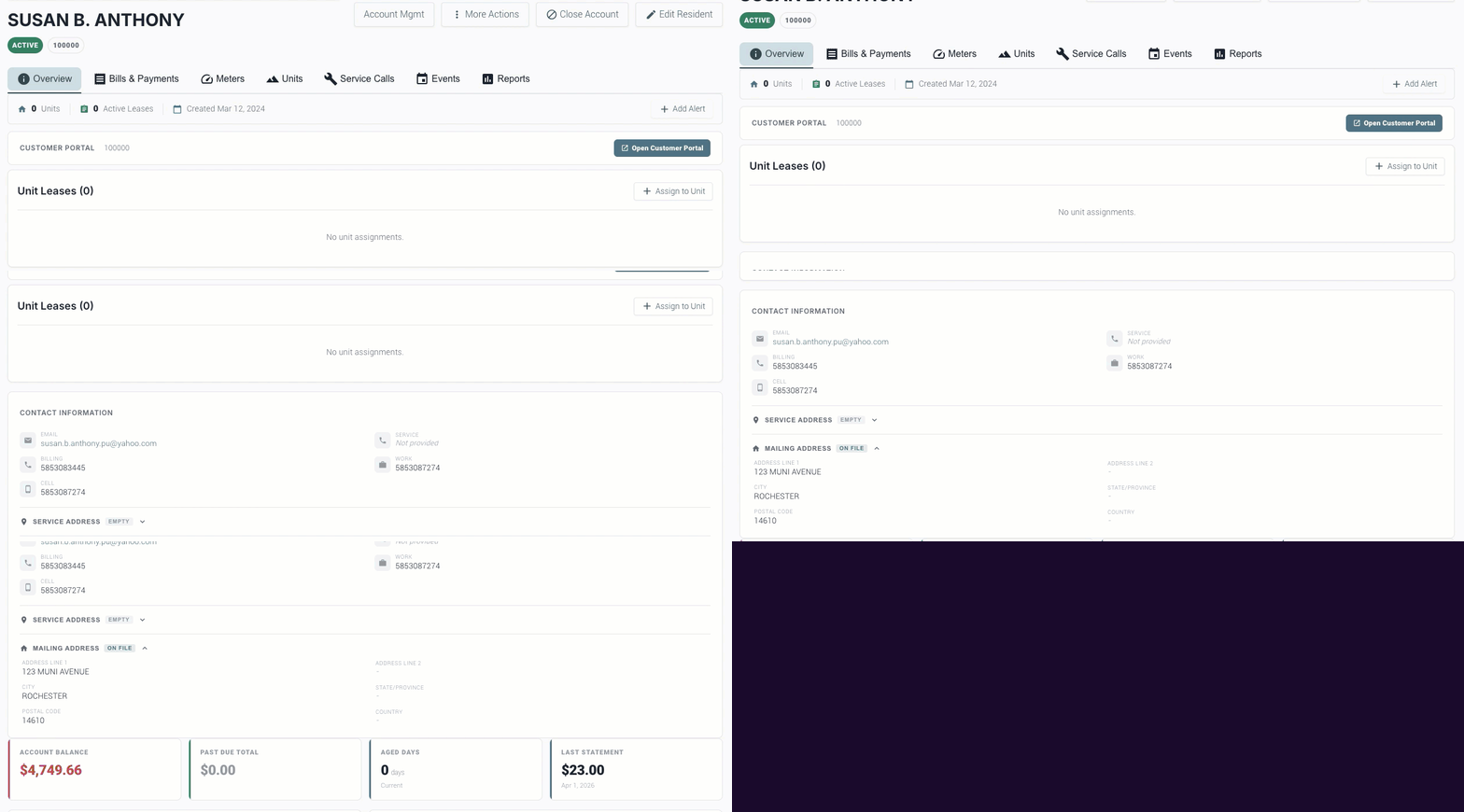
Susan B Anthony

Three Ways MultiBilling CIS Changes Daily Work

Choose Here
  • A live customer lifecycle
  • Move-ins captured as they happen
  • Stop stale data before billing

A live customer lifecycle

Every change streams into the same operational view. A move-out triggers the final read prompt, the deposit refund check, and the close-out checklist. A move-in records the service start, the rate assignment, and the welcome flow. Meter exchanges link the old and new device with the cutover read. Instead of a database that quietly accumulates updates between billing cycles, the CIS becomes a moving picture of who is connected, where, and how. Issues that used to surface during the next bill run get resolved the day they happen.
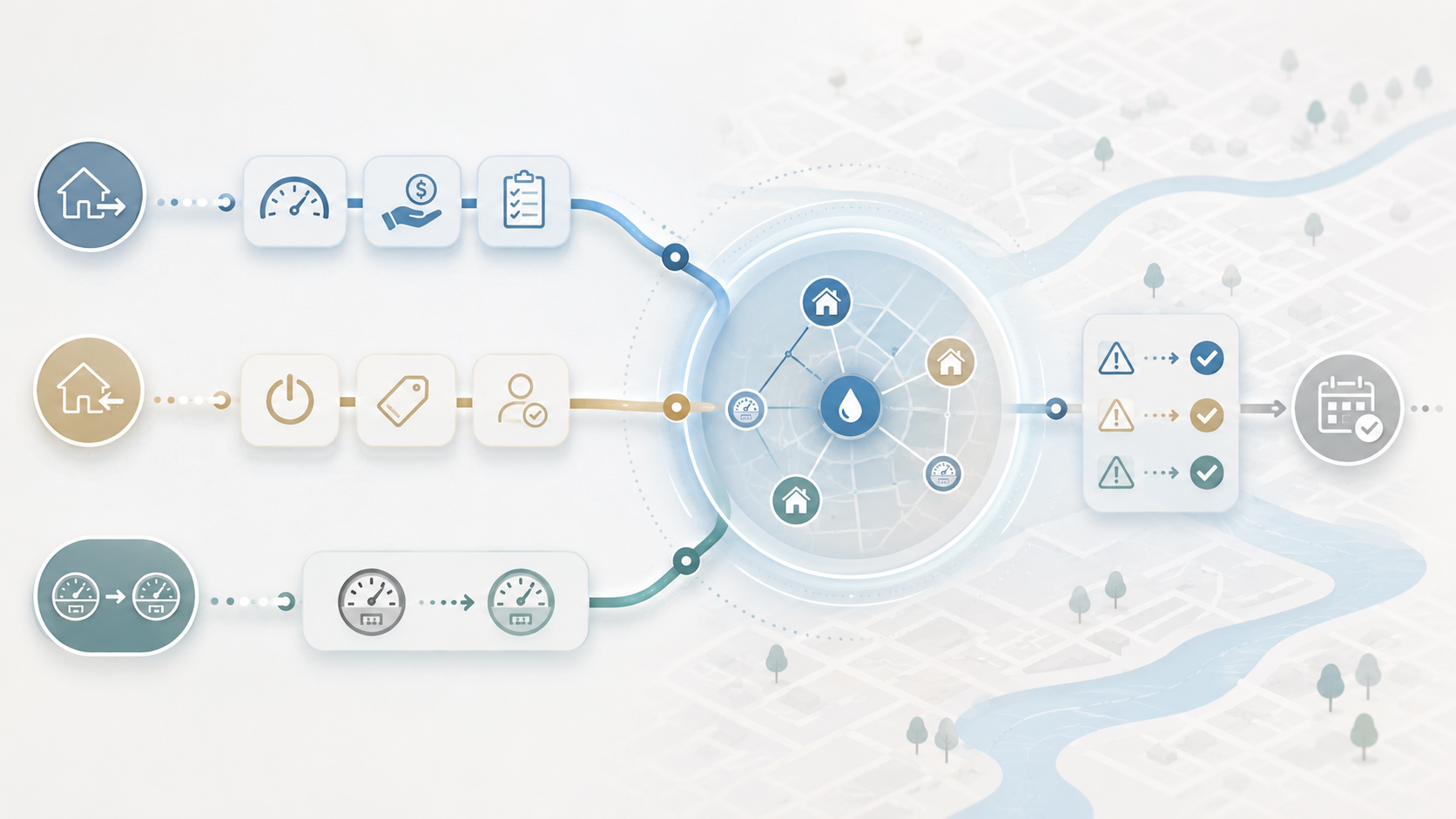
Illustration of utility billing data from homes, meters, payments, service tasks, and account workflows connecting into a central system with validation checks and scheduled actions.

Move-ins captured as they happen

Guided workflows walk users through service starts, transfers, and ends, capturing required information, validating effective dates, managing ownership or occupancy changes, and preventing the small errors that used to create billing problems later. A new tenant arrives, the rep enters the move-in, and the system confirms the read, the rate, the deposit, the notification, and the prorate logic in one pass. The next cycle bills correctly because the front-end captured cleanly. 
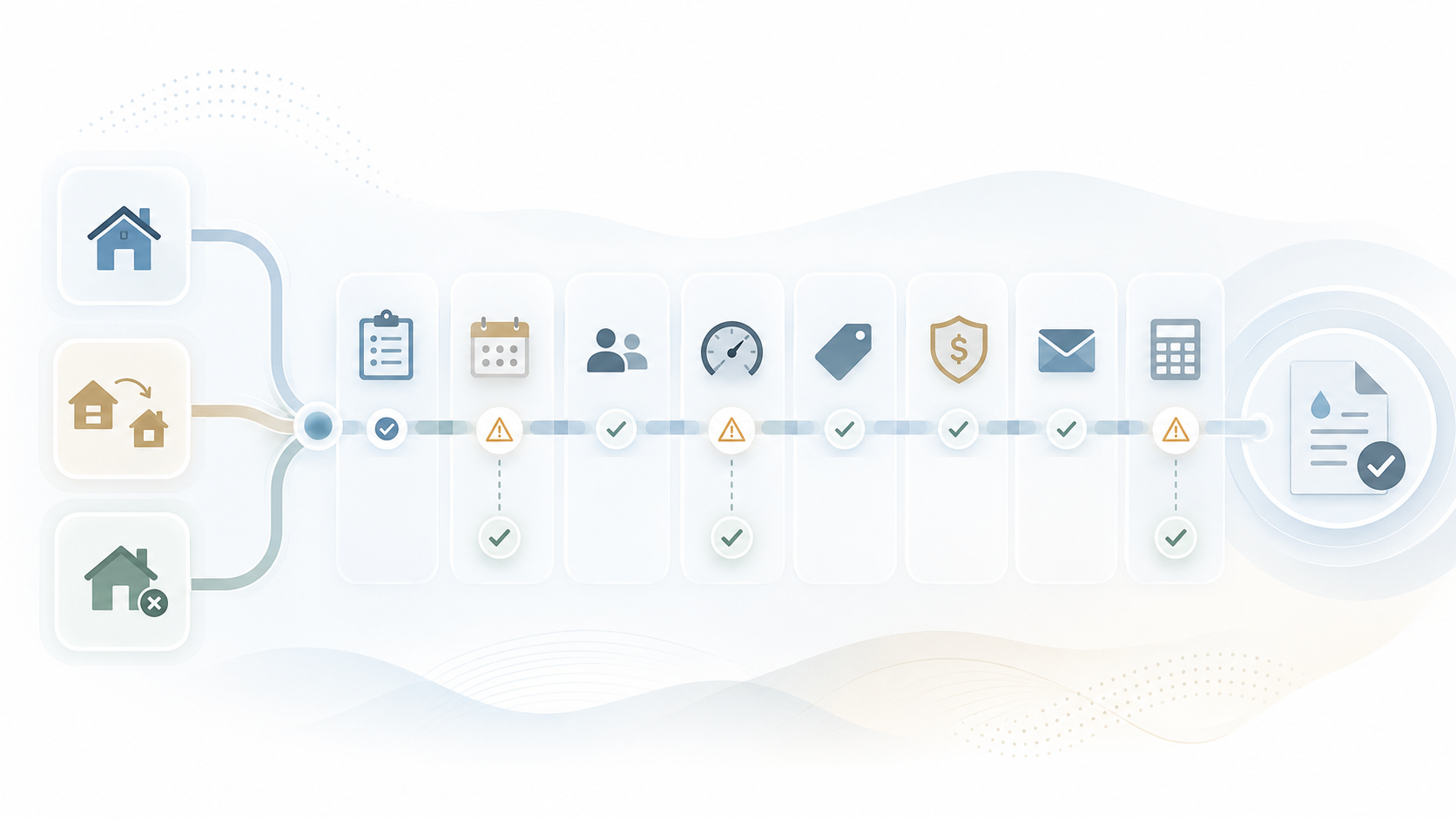
Illustration of multiple property and account workflows moving through a connected billing timeline with task, calendar, customer, meter, payment, email, and invoice validation steps.

Stop stale data before billing

Outdated customer information is the root cause of most downstream billing exceptions. MultiBilling surfaces missing data, inconsistent relationships, unresolved incidents, incomplete service requests, unusual account activity, delinquency risks, and meter or location mismatches before the cycle runs. Exceptions get cleaned where they originated, not corrected after customer service receives the call. The bill is right the first time because the underlying data was right the day it changed.
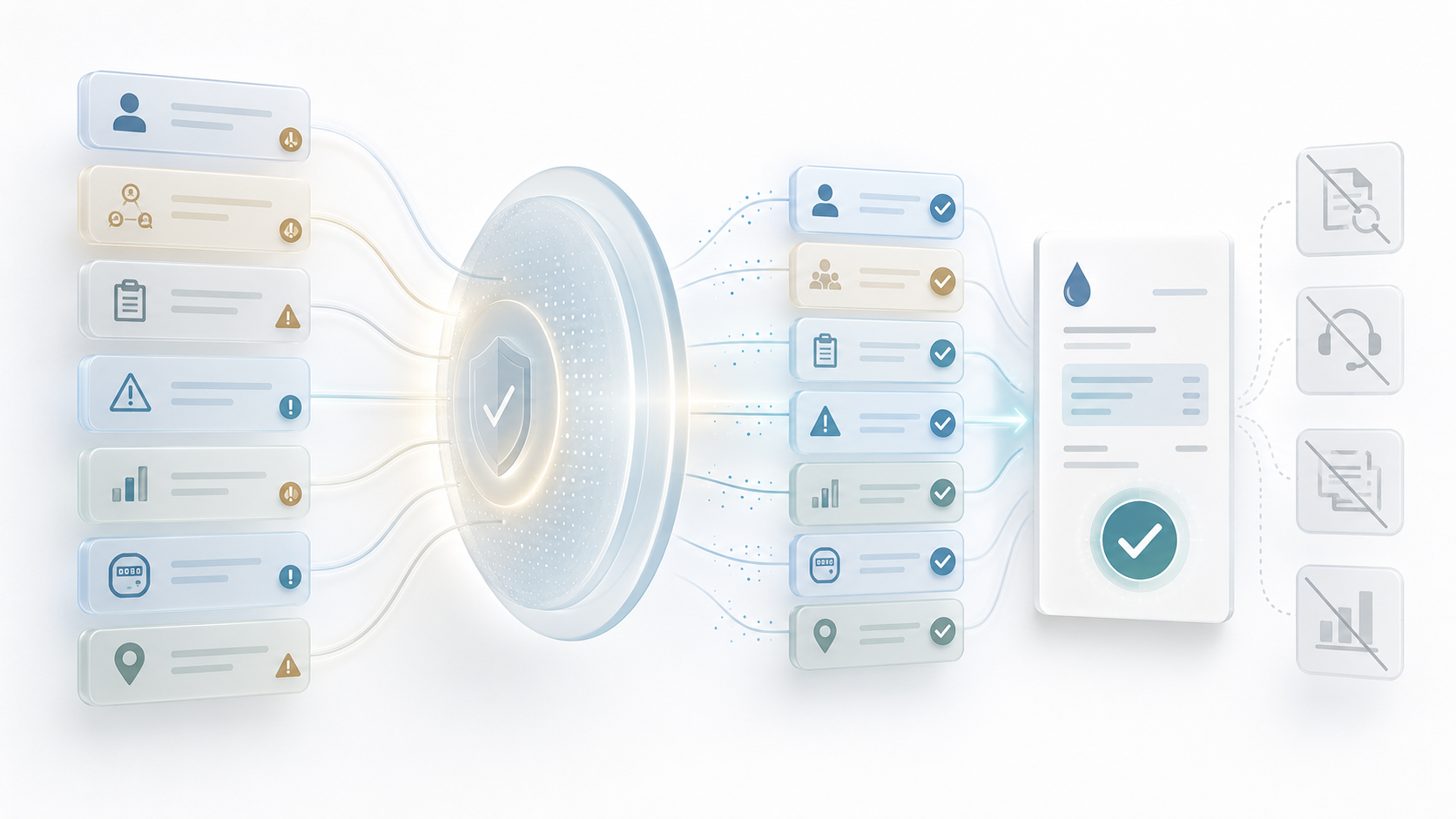
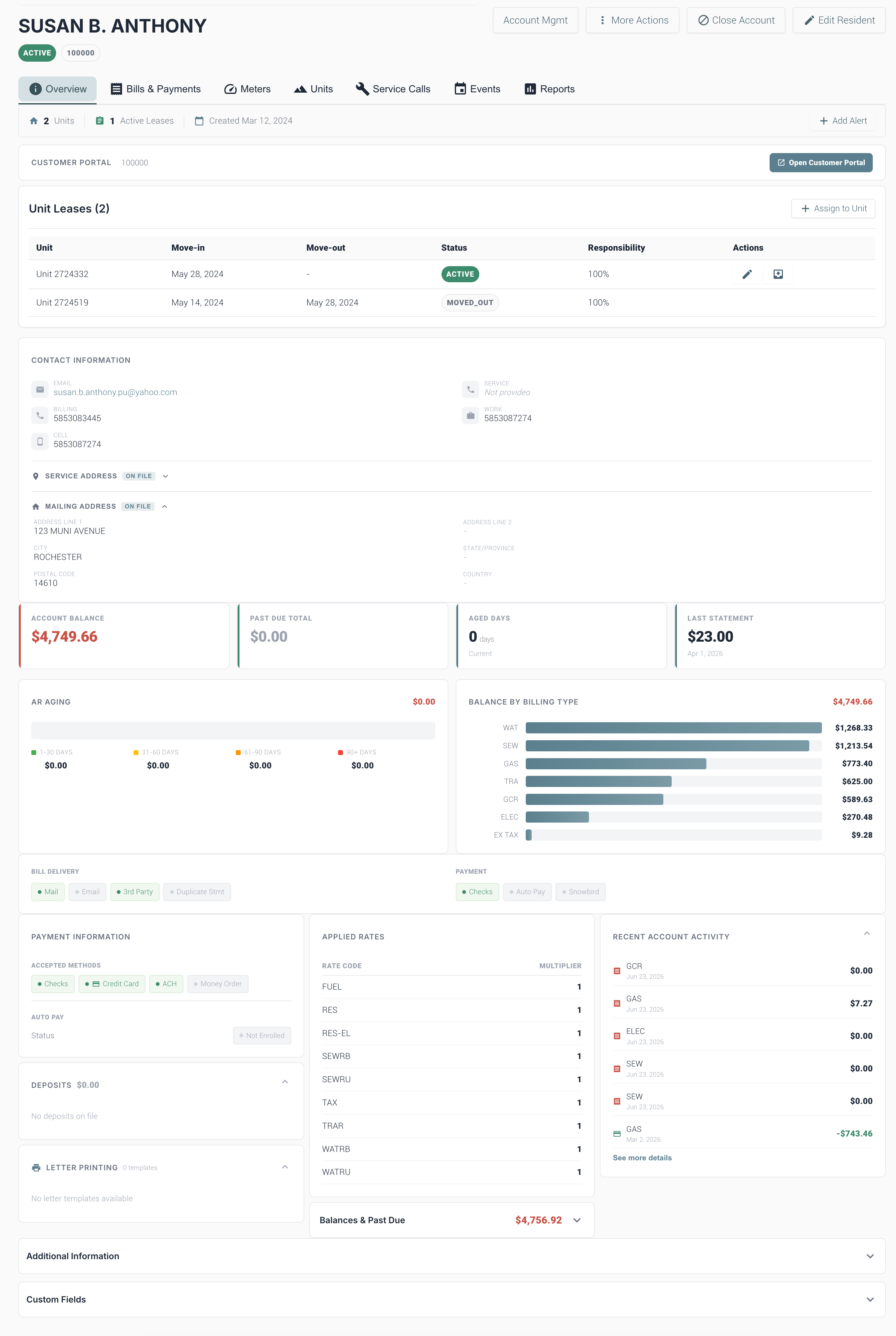
Illustration of account, billing, usage, and service data flowing through a validation checkpoint into organized records, with unresolved items filtered out.

How Is It Different?

Track. Route. Resolve.

Why MultiBilling CIS Stands Apart

Conventional systems treat the CIS as a filing cabinet of customer records that staff dig through when something goes wrong. Updates pile up between billing runs, exceptions surface after invoices generate, and customer service spends the month chasing the data that should have been clean. MultiBilling rebuilds the CIS as an event-aware operating center. Every change to a customer, location, meter, asset, service request, incident, payment, or collection becomes a tracked event with the workflow it belongs to. Before, the CIS was a passive store. After, it is the live operating layer of the customer relationship, with detection, routing, and resolution built in.

What Changes for Your Team?

See. Correct. Reclaim.

Customer service reps see the full account, the open issues, the prior service activity, and the next-best action without opening multiple screens. Billing specialists arrive at each cycle with clean data because exceptions got addressed when they appeared. Field service shows up to the right meter at the right address because the location records were updated in real time. Managers see lifecycle KPIs and risk indicators without compiling reports. Collections teams catch delinquency risk earlier. Across the team, the duplicate entry, manual research, and downstream correction work falls sharply, and staff reclaim more than half of the customer service team’s monthly labor for higher-value work.

How Does It Turn Into Action?

Connect. Trigger. Guide.

The CIS connects customers to locations, meters, assets, billing, payments, deposits, collections, service requests, and incidents in one operating environment. Move-ins, move-outs, address changes, and meter exchanges trigger event-based notifications and downstream workflow prompts. The AI Assistant interprets account history, explains balances, and recommends next steps. Reporting draws performance indicators from the same live event stream. The CIS becomes the operational foundation for AI agents that monitor lifecycle events, detect exceptions, summarize history, and guide users through resolution.

What MultiBilling CIS Delivers

A live customer operating center that manages the full lifecycle from start of service to close-out.

Unified Customer and Service Visibility

Customers, residents, locations, meters, assets, and services connect in one operational view. Users see who is responsible for what, where, and when without hunting across screens.

Unified customer and resident lifecycle management: The full lifecycle from move-in through active service, billing, payment, collections, move-out, and final resolution lives in one workspace.

Integrated location and service management: Customers and residents connect to the correct units, parcels, properties, buildings, meters, service points, and billing relationships.

Connected account activity: Payment history, balances, adjustments, deposits, credits, refunds, returned payments, and related activity surface within the customer context.

Guided Lifecycle Workflows

Service starts, transfers, and ends move through guided flows that capture required information, validate dates, and reduce the errors that used to create downstream billing issues.

Smarter move-in and move-out workflows: Required fields, date validation, ownership or occupancy changes, and downstream prompts cut the errors that create billing or service issues later.

Service request and incident integration: Inquiries, billing questions, service changes, meter rereads, repairs, disconnects, reconnects, complaints, and internal follow-ups flow through structured workflows.

AI-enabled workflow guidance: The AI Assistant interprets account status, explains balances, guides service request steps, and recommends the next-best action.

Proactive Detection and Control

The CIS detects issues before they reach billing. Stale data, missing information, and account exceptions surface where they can be cleaned up, not after they cause a customer complaint.

Proactive issue detection and resolution: Missing information, inconsistent relationships, unresolved incidents, unusual activity, delinquency risk, and meter or location mismatches flag for action.

Event-based monitoring and notifications: Customer changes, service requests, incidents, payments, collections actions, move-outs, and meter updates trigger notifications when attention is needed.

Better auditability and historical context: Clearer history around customer, service, incident, payment, adjustment, and asset changes supports compliance, dispute review, and continuous improvement.

[Customer quote placeholder. 2 to 3 sentences from a billing director or operations leader at a municipal utility, MSO, or property management company. Focus on time saved per cycle or exception backlog reduction.]

review-future

Dr. Alice Bennett

AI Expert, MIT
Case Study

[Customer Name]

[X%]

[Outcome metric: reduction in billing exception backlog, hours reclaimed per month, days saved per cycle]

Check out the screen yourself!

You can interact with the dots below to learn more about the screen.

Customer Screen

Customer Portal

Use this section to view or open the customer portal associated with this account. The portal gives customers access to self-service options.

Customer Tabs

Use the tabs to move between key areas of the customer account, including overview details, bills and payments, meters, units, service calls, events, and reports.

Unit Leases

This table shows the units connected to the customer, including move-in and move-out dates, lease status, responsibility percentage, and available actions.

Contact Information

This section stores the customer’s email address and phone numbers. Use it to confirm contact details before sending notices, making calls, or reviewing account information.

Account Balance

This card shows the customer’s current account balance. Use it as a quick reference when reviewing outstanding charges.

Past Due Total

This card shows the amount currently past due. A zero balance here means the customer does not have any overdue charges at this time.

Aged Days

This card shows how long the account balance has been outstanding. Use it to quickly understand the account’s aging status.

Last Statement

This card shows the most recent statement amount and date. Use it to confirm the latest billing activity on the account.

AR Aging

The AR Aging section breaks down overdue balances by age range, helping you understand how long amounts have been outstanding.

Balance by Billing Type

This chart shows the customer’s balance by billing type, such as water, sewer, gas, trash, or other charges.

Bill Delivery

This section shows how the customer receives bills, such as mail, email, third party delivery, or duplicate statements.

Payment Preferences

This section shows the customer’s payment setup, including available payment methods and whether autopay is enabled.

Payment Information

Use this section to review accepted payment methods and autopay status for the customer account.

Deposits

This section shows whether the customer has any deposits on file. Expand it to review deposit details when available.

Letter Printing

This section shows available letter templates for the customer account. Use it when generating account notices or printed communications.

Applied Rates

This table shows the rates currently applied to the customer account. These rates help determine how charges are calculated during billing.

Recent Account Activity

This section displays recent charges, payments, and account activity. Use it to quickly review what has recently changed on the account.

Balances & Past Due

This summary shows the combined balance and past due amount for the account.

Additional Information

Expand this section to view extra account details that may not appear in the main customer overview.

Custom Fields

Custom fields store additional information specific to your organization’s setup.

Ready to See MultiBilling in Action?

Bring us a sample of the move-ins your team processed last month, and we will show you the same workflows running in MultiBilling. You will see the guided capture, the validation prompts, and the downstream billing readiness check before the cycle ever runs. The CIS your team needs is the one that catches the issue before it becomes a bill.

Schedule a demo to explore the platform in detail and see how MultiBilling fits your operations and take the next step toward implementation and purchase.

Futuristic Screenshot of MultiBilling (1)
