Reliability is Always On. Issues Caught Before Users Notice.

Most platforms treat quality assurance as a periodic regression cycle and wait for users to report what failed. MultiBilling rebuilds reliability as an always-on 24x7x365 monitoring discipline. Intelligent agents continuously check every critical workflow, verify system health proactively, and create evidence-rich tickets the moment an issue emerges. Teams stop discovering problems through user complaints. Manual status checks and cross-system lookups go away. Product support and QA teams reclaim more than half of their monthly labor for higher-value work.

Search Bar

Three Ways MultiBilling System Health Monitoring Changes Daily Work

Choose Here
  • Reliability is always on
  • Catch issues before users do
  • Tickets created with full evidence

Reliability is always on

Critical workflows monitor 24x7x365 by intelligent agents instead of periodic regression cycles. Reliability becomes a continuous discipline rather than something reviewed every few weeks. Billing readiness, data integrity, exception detection, incident creation, service request processing, payment activity, and integration-dependent operations all get checked continuously. The shift from scheduled regression to always-on monitoring catches the issues that periodic cycles miss because they happen between runs.

Catch issues before users do

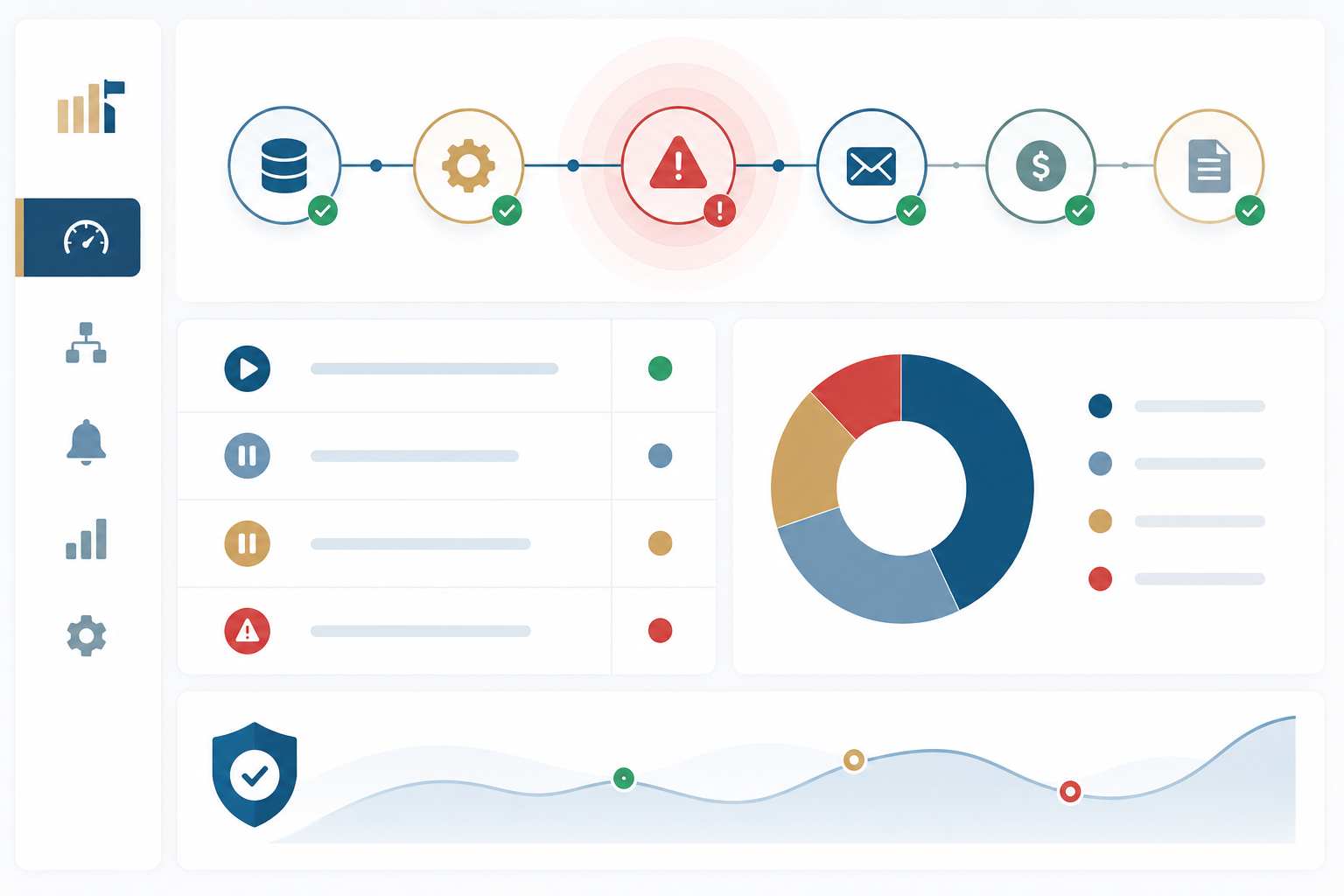
Monitoring agents detect anomalies, stalled processes, and exception patterns the moment they emerge. The manual status checks and cross-system lookups that fragment support work are replaced with proactive detection. Performance concerns and failed checks identify before they create larger operational disruption. The product support team stops opening browser tabs to confirm system state across multiple tools. The dashboard shows whether monitoring agents are active, idle, paused, or in error, making it easy to spot stalled processes quickly.

Home Dashboard-1

Tickets created with full evidence

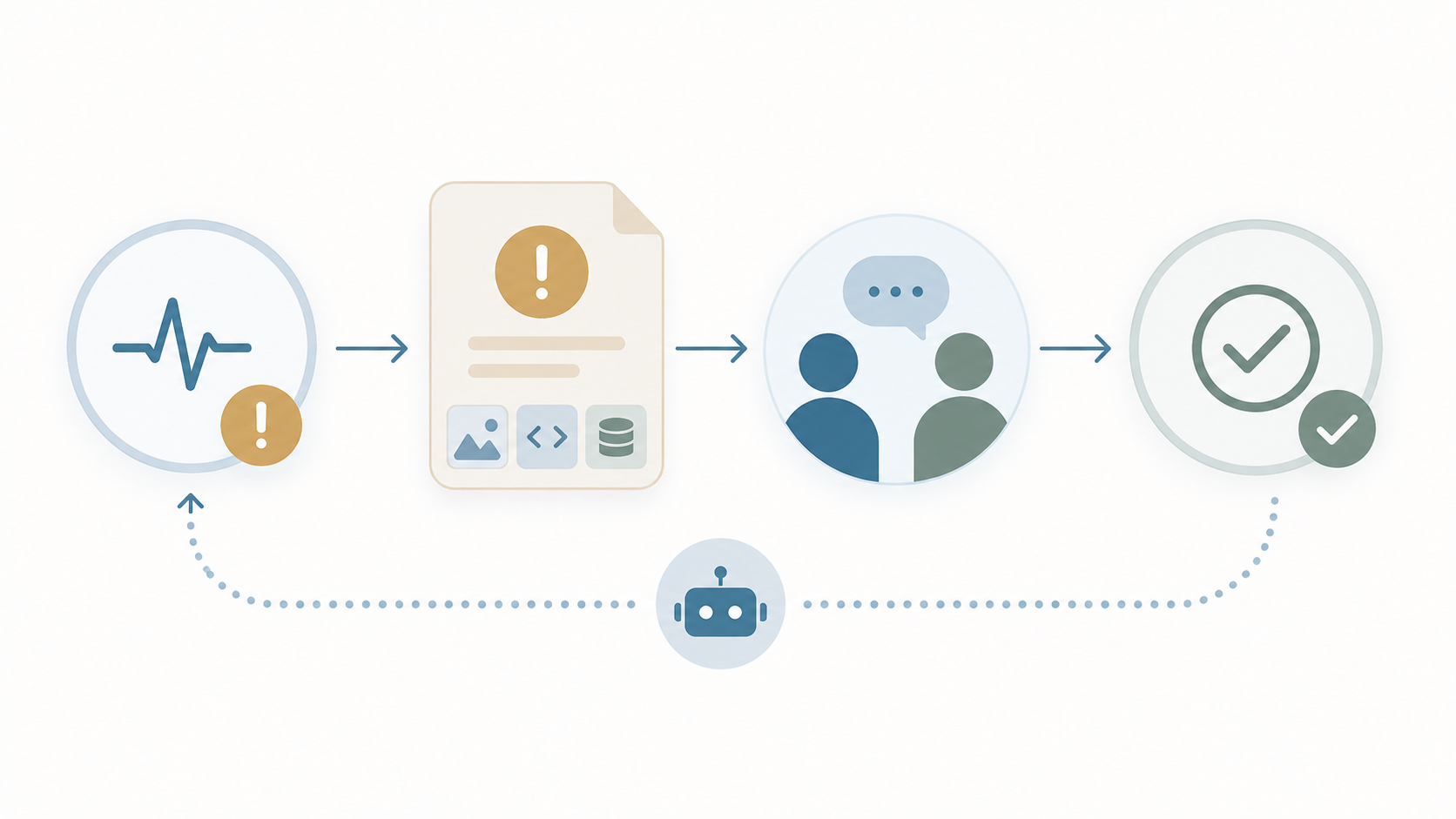
When a check fails, the agent opens a ticket with the supporting evidence, recent changes, and related workflow context already attached. The path from detection to root cause to fix shortens dramatically. Product Support Analysts can recreate and test user-reported issues using information captured from the Incident Report tool, then have the QA Agent create the related ticket. This closes the loop between real user experience, support investigation, QA validation, and resolution tracking. Documentation that used to take an hour per ticket is built in.

AI Help

How It's Different

Step 01

Why MultiBilling System Health Monitoring Stands Apart

Conventional reliability runs on periodic regression cycles and user-reported failures. The QA team tests on a schedule. The support team learns about failures when users complain. The gap between issue and detection can run hours or days, and the gap between detection and resolution adds more on top. MultiBilling rebuilds reliability as an always-on monitoring discipline. Intelligent agents check critical workflows continuously, detect issues proactively, and create evidence-rich tickets the moment something emerges. Before, reliability was a reactive cycle reviewed weekly. After, reliability is a continuous operation watched in real time.

ChatGPT Image May 20, 2026, 01_12_24 PM-1

What Changes for Your Team

Step 02

Product Support Analysts stop being the front line of failure detection. The agents catch issues before users notice and report them. Root-cause analysis starts with the evidence already attached, not with reconstruction from logs. QA teams shift from running periodic regression scripts to validating real-world workflow health. Internal teams gain visibility into system readiness and open issues without compiling status reports. Clients gain confidence knowing continuous quality assurance is built into the product. Across product support and QA, the manual status checks, cross-system lookups, and reactive firefighting drop sharply, and staff reclaim more than half of the monthly labor for higher-value work.

ChatGPT Image May 22, 2026, 03_45_39 PM

Built for Proactive Reliability

Step 03

System Health Monitoring connects to every critical workflow in the platform. Billing, payments, CIS, service requests, incidents, integrations, and reporting all get continuous verification. Event-based monitoring drives ticket creation. The dashboard consolidates agent status and ticket tracking into one operational view. Filterable and sortable visibility into agent status, ticket priority, ticket age, assignment, and lifecycle status keeps teams ahead of bottlenecks. The Continuous System Health Monitoring Agent creates the foundation for more advanced AI-enabled operations by combining event-based monitoring, automated verification, ticket generation, root-cause support, and operational analytics.

ChatGPT Image May 22, 2026, 03_49_03 PM

What MultiBilling System Health Monitoring Delivers

An always-on monitoring discipline that watches critical workflows, detects issues proactively, and turns detection into action with evidence-rich tickets.

Always-On Workflow Verification

Critical workflows monitor continuously instead of on a schedule. Issues surface as they emerge, not when somebody happens to look.

  • Always-on system health assurance: Intelligent agents monitor critical workflows, system behavior, and operational signals 24x7x365.
  • Proactive detection before issues escalate: Anomalies, stalled processes, failed checks, performance concerns, and exception patterns identify before they create larger disruption.
  • Continuous workflow verification: Critical workflows check continuously instead of waiting for scheduled regression cycles, especially valuable for billing readiness, data integrity, incident creation, service request processing, payment activity, and integration-dependent operations.

Centralized Visibility and Control

Agent status and ticket lifecycle consolidate into one operational view, supporting fast triage and clear ownership.

  • Real-time visibility into agent health: Administrators see whether monitoring agents are active, idle, paused, or in error from a centralized dashboard.
  • Centralized monitoring and ticket visibility: Agent monitoring and ticket tracking live in one operational view.
  • Operational control in one pane of glass: Filterable and sortable visibility into agent status, ticket priority, age, assignment, and lifecycle status helps teams spot bottlenecks.

Evidence-Rich Tickets and Root-Cause Acceleration

The path from detection to resolution shortens because the evidence assembles automatically and the closed-loop tools connect support, QA, and engineering.

  • Automated ticket creation with evidence: Detected failures create tickets with supporting evidence already attached, reducing manual documentation.
  • Closed loop from incident to verification: Product Support Analysts recreate and test user-reported issues with information from the Incident Report tool; the QA Agent creates the related ticket.
  • Faster root-cause analysis: The agent connects failures to recent changes, related workflows, application events, test evidence, logs, screenshots, and system behavior.

Check out the screen yourself!

You can interact with the dots below to learn more about the screen.

2026-05-21_14-23-29

Unfied Search and Discovery

Universal search reaches across every operational record, returning context that matters for resolution.

Customizable Dashboards

Pin the KPIs, alerts, reports, and workflow shortcuts most relevant to each role.

AI-Assisted Investigation

The AI Assistant lives on the Home Page as a navigation partner.


Built with billing operators, validated in production.

[Customer quote placeholder. 2 to 3 sentences from a billing director or operations leader at a municipal utility, MSO, or property management company. Focus on time saved per cycle or exception backlog reduction.]

review-future

Dr. Alice Bennett

AI Expert, MIT
Case Study

[Customer Name]

[X%]

[Outcome metric: reduction in billing exception backlog, hours reclaimed per month, days saved per cycle]

Ready to See MultiBilling in Action?

Bring us a recent production incident your team handled reactively, and we will show you how the same workflow would have been caught by the monitoring agent before the user ever noticed. You will see the detection, the evidence package, and the ticket lifecycle on a real example. The day reliability moves from reactive to proactive is the day product support and QA get the labor back.

Schedule a demo to explore the platform in detail and see how MultiBilling fits your operations and take the next step toward implementation and purchase.

Futuristic Screenshot of MultiBilling (1)